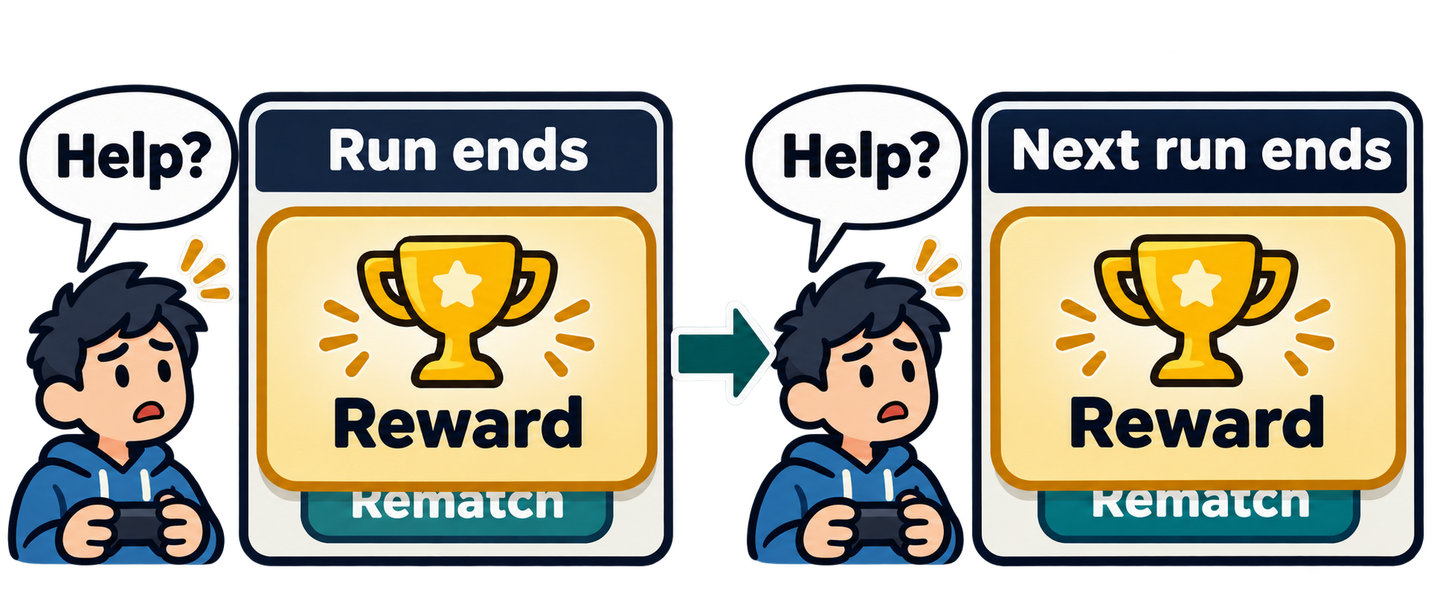
Suppose a small playtest leaves a team with two findings. Several players hesitate over a cosmetic badge, then recognize it on later screens. One player cannot find the rematch control and asks for help after each completed run. Sorting the list only by the number of affected players would put the badge first, while the repeated barrier to playing again waits.
Steve Bromley’s prioritization guide asks whether a usability issue affects a core activity, how hard it is to overcome and whether it keeps troubling the same player. He distinguishes that persistence from how many participants encountered it. The guide also treats opinions separately, comparing them with the intended experience before deciding what needs to change. It is a practitioner framework for making a backlog useful, rather than a validated universal score.[1]
Write the consequence before the rank
For this hypothetical game, the team intends players to start another run without help. The rematch finding should name the screen, what the player tried and what finally allowed them to continue. If the researcher pointed at the control, record that intervention. Later success with help is different from finding the control independently.
Check whether the next run presents the same opportunity to remember. If the button moves, changes its wording or is covered by a reward panel, repeated difficulty may reflect a changing interface. Do not summarize those cases as a failure to learn. The observation can justify inspecting the transition even while its cause remains uncertain.

The badge deserves its own description. If it controls a purchase, accessibility setting or the only route to progress, calling it cosmetic would hide a consequential failure. If it merely decorates a result and becomes understandable without help, the team may defer it. Priority follows the actual role and effect, rather than the size of the icon or how often someone mentioned it.
Applying this to your game
Bring the rematch screen and the intended repeat-play flow to the person who can change them. Try one reversible repair, such as keeping the same labeled control visible after the reward panel closes. Check that it does not accidentally activate a new run while the player is still reviewing rewards. Compare the next unprompted opportunity with the earlier behavior, keeping researcher help visible in the notes.
Use participant counts to describe this study, alongside who encountered each relevant screen. A small qualitative sample does not establish how common the problem is across the audience. If choosing between expensive changes depends on prevalence, plan evidence that can estimate it. A cheap repair to an observed progression barrier may be worth trying before that larger study.
Keep comments about the run being too tense or too repetitive in the report, with the context in which people said them. Ask what experience the team intended and what the player was trying to do. Those comments can challenge the design goal itself; they should neither become automatic bug reports nor disappear because a designer intended difficulty.
Budget for one screen change and another independent chance to find the control, rather than a redesign of the whole result flow. Reconsider the priority if inspection shows the barrier came from the test setup or if the repair breaks a more consequential action. Keep the original transition available so an unhelpful change can be removed without losing the evidence that prompted it.
Sources
- How to prioritise playtest issues and player feedback
article · First-party practitioner article; page last updated2023-04-06, authored body read2026-11-03 · Source accessed: